
By Michael Randall · Founder, Mediband
Medically reviewed · Updated August 2025 · 9 min read
Medically reviewed · Updated August 2025 · 9 min read
Digital Medical IDs in Australia — How Online Health Records + Wearable Alerts Work Together (2025)
Updated August 2025. If you live with diabetes, severe allergies, epilepsy, heart conditions or any chronic illness, you’ve probably wondered: "How do paramedics actually know my full medical history in an emergency?" The answer in 2025 is a layered system — digital medical IDs on your phone, online emergency records, AND the visible medical alert bracelet on your wrist that ties them together.
This guide explains how digital medical ID services work for Australians with life-threatening health conditions, how they integrate with the My Health Record system, and why a physical wearable alert remains the foundational layer no app can replace.
The Three-Layer Emergency Medical ID Stack
Australian paramedic + ED protocols in 2025 work across three layers:
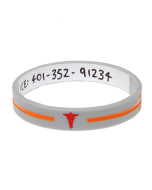
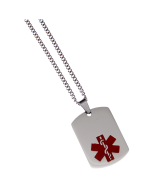
- Layer 1 — Visible alert on the body. Medical alert bracelet, pendant or dog tag. Checked within the first 30 seconds on every unresponsive patient call. No phone, no passcode, no battery.
- Layer 2 — Phone Medical ID. iPhone Medical ID (Health app) and Android Emergency Info show conditions, medications, allergies, ICE contact on the lock screen without unlocking. Checked once paramedics secure the patient.
- Layer 3 — My Health Record + e-services. National health records database, queried by hospital staff after admission. Holds GP notes, specialist letters, hospital discharge summaries, MBS-funded test results.
The bracelet (layer 1) triggers the lookup. Without it, paramedics often miss layers 2 and 3 entirely.
Recommended for you
Products related to this article
Hand-picked to go with what you just read.
Setting Up Your Phone Medical ID
iPhone (iOS 17+): Open the Health app → tap your profile → Medical ID → Edit. Toggle "Show When Locked" ON. Add: medical conditions, allergies, medications, blood type, organ donor status, emergency contacts.
Android (Pixel, Samsung, etc): Settings → About phone → Emergency information OR Safety + Emergency. Fill the same fields. Accessible from the lock screen via "Emergency" button on most Android skins.
Critical: these phone IDs only work if your phone is on your body, charged, and the paramedic knows to check. Most don’t check phones first — they check wrists. A visible bracelet is still mandatory.
My Health Record — What It Actually Holds
My Health Record (Australian Government, my.gov.au) is the national digital health record system. Default opt-out since 2019. It can hold:
- Hospital discharge summaries
- GP medication lists + scripts
- Pathology + radiology test results
- Specialist letters + referrals
- Advance care directives (DNR, organ donation preferences)
- Childhood immunisation history
It does NOT show on a phone lock screen. ED staff query it via the hospital’s clinical system once you’re admitted.
The Limitations of Digital-Only ID
Digital medical IDs solve some problems but create new ones:
- Phone needs battery + connectivity — flat battery = no ID
- Phone may be inaccessible — in another bag, lost at the scene, taken by emergency services and bagged for evidence
- Phone Medical ID requires the user to update it — most never do
- Children + elderly often don’t carry phones constantly
- Travel + overseas — local emergency teams may not recognise Australian My Health Record
- The bracelet bridges all of these gaps — always present, no battery, internationally recognised
What to Put on Each Layer
Recommended split:
- Bracelet (visible): top medical condition, critical allergy, name, one ICE contact. Engraved permanently OR write-on for kids.
- Phone Medical ID: full medication list, all allergies, blood type, organ donor status, multiple emergency contacts, GP phone, specialist phone.
- My Health Record: let it auto-populate from GP/specialist visits. Manually upload Advance Care Directive PDF.
For Specific High-Risk Conditions
- Type 1 diabetes: Bracelet with "Type 1 Diabetic" + ICE. Phone with insulin doses + last A1C. Diabetes medical alert bracelet on wrist.
- Severe food allergies: Bracelet with specific allergen + "Anaphylaxis". Phone with EpiPen location notes. Food allergy bracelet in bright colour.
- Epilepsy: Bracelet with "Epilepsy" + medication name + ICE. Phone with seizure history. Epilepsy bracelet.
- Heart conditions: Bracelet with condition + pacemaker/ICD if applicable + ICE. Phone with cardiologist contact.
- Anticoagulants: Bracelet with drug name + dose. Phone with INR target + last reading. Anticoagulant bracelet.
- DNR / Advance Care Directive: Bracelet engraved "DNR" + "See AHD". My Health Record AHD uploaded. DNR bracelet.
Privacy and Data Considerations
My Health Record is accessed under strict access controls; only registered healthcare providers can query it, and every access is audited. You can:
- Restrict access to specific providers via the Restricted Access setting
- Set an Emergency Access PIN that limits non-emergency queries
- View who has accessed your record via the Access History tab
- Cancel/opt out at any time via my.gov.au
Phone Medical IDs are local to the device — not transmitted unless emergency services manually note them. Bracelet engraving is local-only too — visible to anyone who looks at your wrist.
The Mediband Wallet Card — Bridging Digital + Physical
For deeper detail than a bracelet can hold, pair your medical alert bracelet with a Mediband medical wallet card. Carries full medication list, ICE contacts, blood type, DNR reference. Lives in your wallet alongside your phone — both digital + physical backup.
For Travel Overseas
- My Health Record is Australia-only. Overseas hospitals can’t query it
- iPhone Medical ID + Android Emergency Info ARE accessible to overseas paramedics from the lock screen
- Bracelet works globally — Star of Life and engraved English text are universally recognised
- Consider a multilingual multilingual medical ID for non-English-speaking countries
- Carry a printed travel medical letter with key conditions + medications + GP signature
For Carers and Family Members
If you manage health information for an elderly parent, a child with chronic illness, or a partner with cognitive impairment:
- Become their My Health Record authorised representative via my.gov.au
- Help them set up their phone Medical ID — sit down together once
- Ensure their bracelet is current (engraving readable, contact numbers right)
- Keep a printed care card in their handbag/wallet with photo + meds + emergency contacts
- Brief siblings, neighbours, regular taxi drivers, etc., on the condition
What the Future Looks Like
NFC + Bluetooth bracelets that link directly to a digital profile are emerging but not yet standard. Expect more integration of physical wearables + cloud medical records in the next 3-5 years. For now, the proven layered approach (bracelet + phone + My Health Record) is the Australian gold standard.
The Mediband Promise
Mediband has helped over 500,000 Australians wear a visible medical alert ID since 2008. Bracelets + necklaces + wallet cards designed to work alongside any digital medical ID system — phone or government. NDIS-registered, trusted by hospitals, schools and aged-care facilities across all eight states.
References & Further Reading
- Australian Digital Health Agency — My Health Record User Guide.
- Apple — Set up your Medical ID on iPhone (Health app documentation).
- Google — Add emergency information to your Pixel or Android phone.
- Australian Department of Health — Advance Care Planning Australia Resources.
- Diabetes Australia — Digital Diabetes Tools + Wearable Integration.
Frequently Asked Questions
Quick answers from the Mediband team
What's the best digital medical ID for Australians?
There isn't one — use a layered approach. iPhone Medical ID or Android Emergency Info on your phone lock screen + My Health Record (Australian Government) + a visible medical alert bracelet on your wrist. The bracelet is the trigger; the digital tools are the depth.
Does My Health Record show on a phone lock screen?
No. My Health Record is queried by hospital staff via the clinical system after admission. Phone Medical ID (iPhone Health app or Android Emergency Info) is what paramedics see on your lock screen without unlocking — that's a separate, locally-stored profile.
How do paramedics access My Health Record?
Once admitted to a hospital, ED clinicians can query My Health Record via their clinical workstation. They need to know you have a record and which name/DOB to look up. The bracelet does the introduction; the system provides the depth.
Is My Health Record opt-in or opt-out in Australia?
Opt-out since 2019. Every Australian over the age of 18 has a My Health Record by default unless they actively cancelled. Check or update yours at my.gov.au under the My Health Record service.
Can I rely only on iPhone Medical ID without a bracelet?
Not safely. Phones run out of battery, get lost at accident scenes, get bagged for evidence, or simply aren't checked first. Australian paramedic protocol checks wrists/neck before phones. A visible medical alert bracelet ensures the digital info gets queried at all.
How do I set up emergency contacts on Android?
Settings → About phone → Emergency information (or Settings → Safety & Emergency on newer Android versions). Add your medical conditions, allergies, medications, blood type, and emergency contacts. Toggle 'Show on lock screen' ON so it's visible without unlocking.
What about travel overseas — does My Health Record work?
No, My Health Record is Australia-only. iPhone Medical ID and Android Emergency Info ARE accessible to overseas paramedics from the lock screen. Bracelet engraving works globally — the Star of Life symbol and English text are universally recognised by emergency teams. Consider a multilingual medical ID for non-English destinations.

Written by
Founder, Mediband
Founder of Mediband; over 20 years providing medical IDs worldwide.
← Previous
Keeping Your Family Fit and Healthy — 2025 Australian Guide
Next →
School Lunch Box Ideas for Kids With Allergies — 2025 Aussie Guide
Comment(s)